01
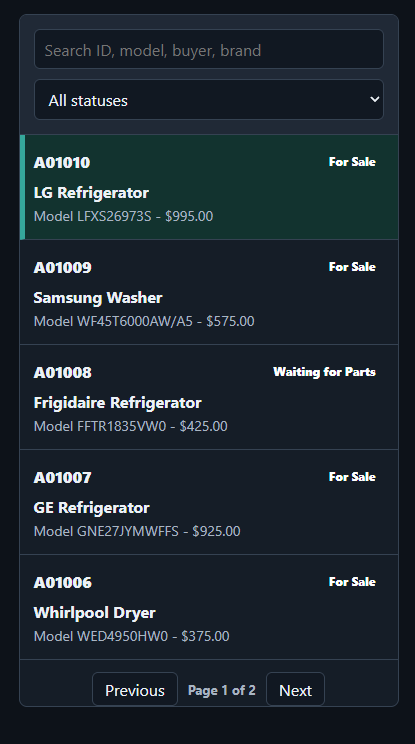
Machine inventory
Give every unit a searchable record for model, serial, costs, status, photos, repairs, sales details, and a full activity history.
AppliancePro360 gives your whole team one place to track machines, schedule service, manage parts, message customers, and understand the numbers.
One workflow, from first touch to final payment
Replace scattered notes, whiteboards, and disconnected apps with one system that follows every appliance and every job.
Give every unit a searchable record for model, serial, costs, status, photos, repairs, sales details, and a full activity history.
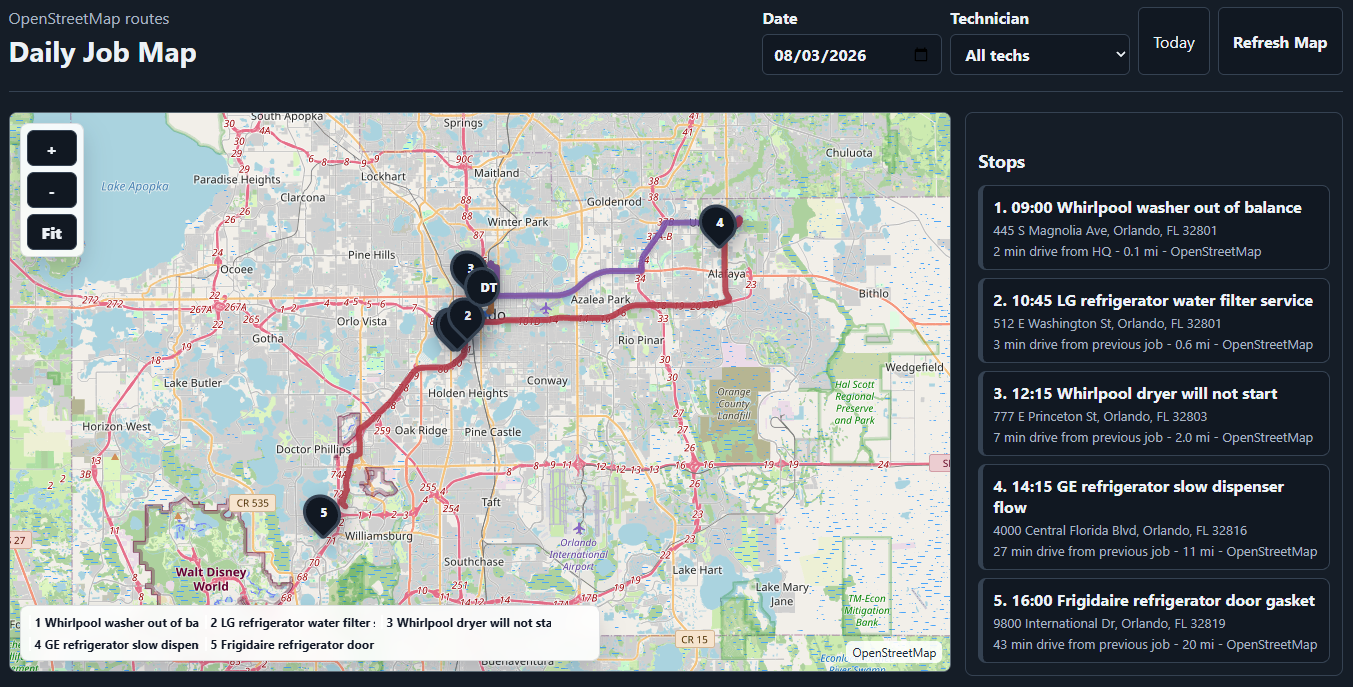
Plan service jobs by technician, day, week, or month—with customer details, complaints, parts, photos, and job history attached.
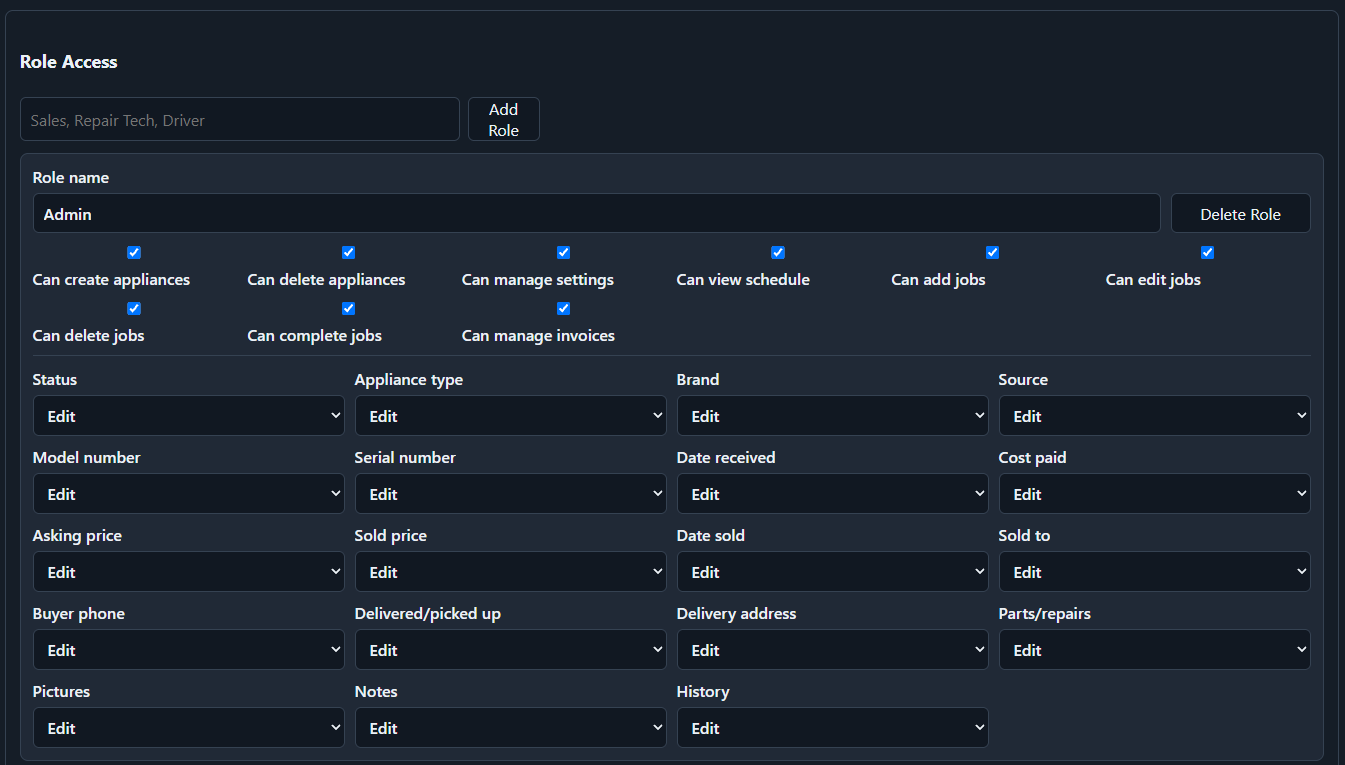
Control page access and field-level view or edit permissions for admins, managers, technicians, and viewers.
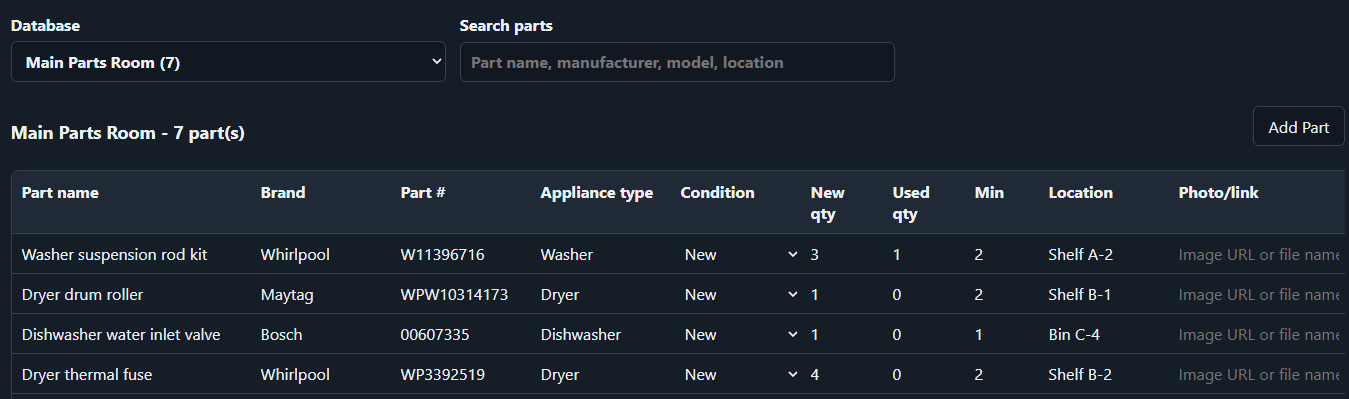
See what is in stock, what is committed to a job, and what each repair truly costs.
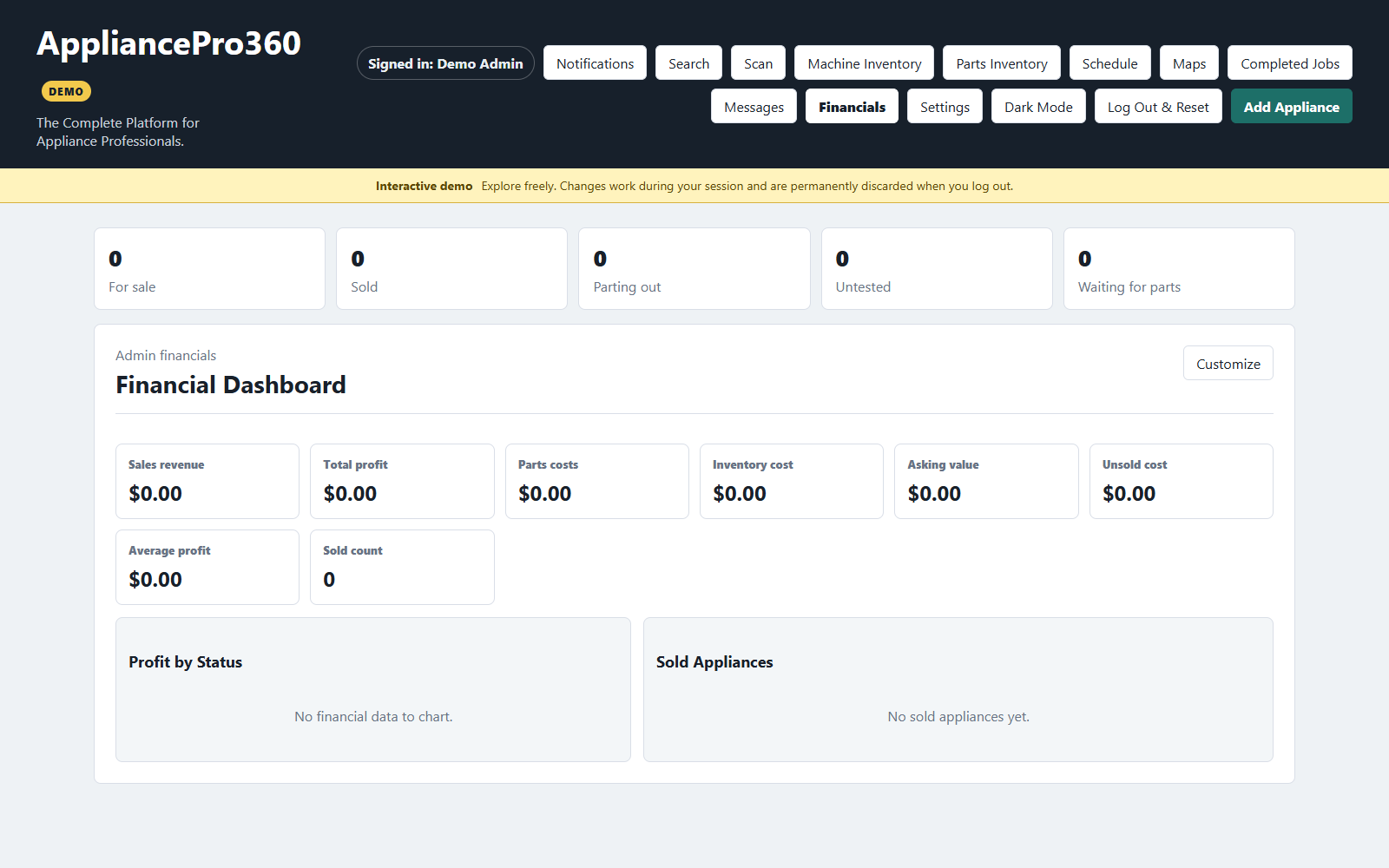
Bring sales, appliance costs, parts, and service activity into a financial dashboard you can actually act on.
Every screen is designed to surface the next useful detail—without burying your team in software.
Search, filter, and understand a machine’s complete story—from the day it comes in to the day it goes out.
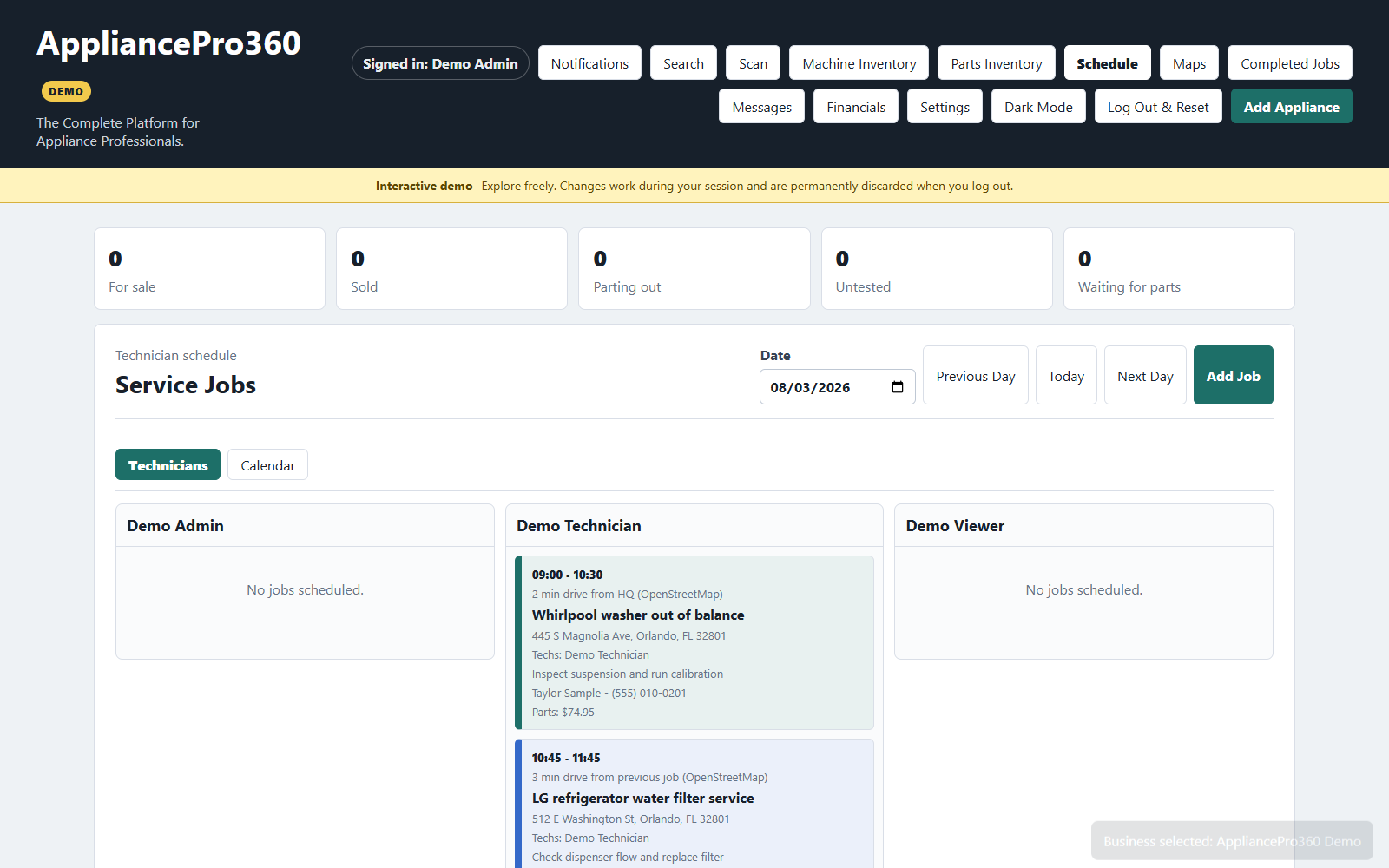
Balance the week at a glance, open a job for the details, and keep each technician focused on the next stop.
Connect operational activity to revenue, margin, and cost—so the best next decision is easier to see.
No double entry. No handoff gaps. AppliancePro360 keeps context attached from the first photo to the final follow-up.
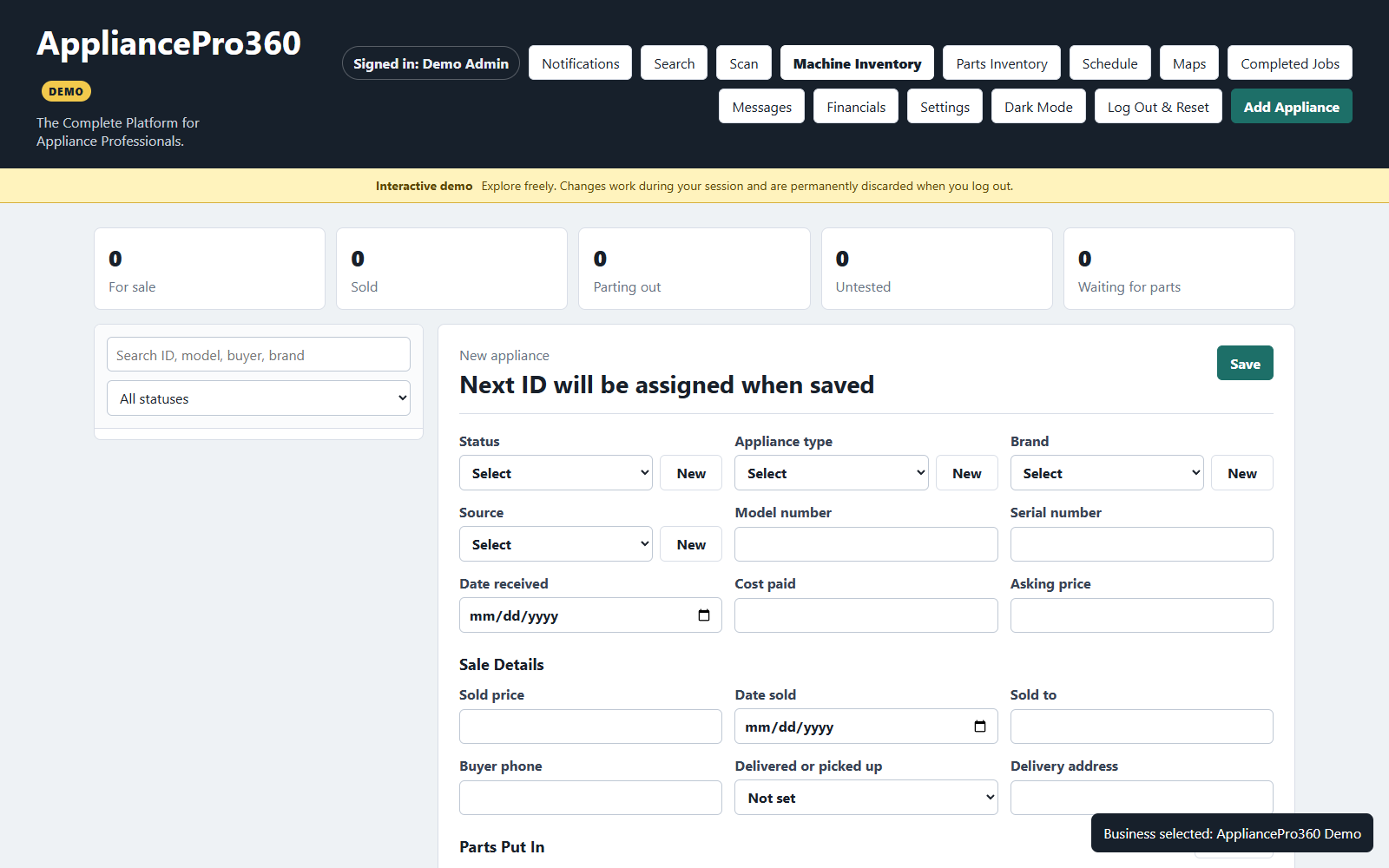
Add the appliance, scan its barcode, record condition, costs, photos, and where it came from.
Assign jobs, reserve parts, update status, and leave a visible trail for the next person.
Close the job or sale and see the real revenue, cost, margin, and history behind it.
AppliancePro360 is being shaped around practical, everyday appliance workflows. The roadmap stays focused on less re-entry, better visibility, and stronger decisions.
Experience what’s working nowAppliancePro360 started with a straightforward idea: appliance teams deserve one dependable place to run the operation.
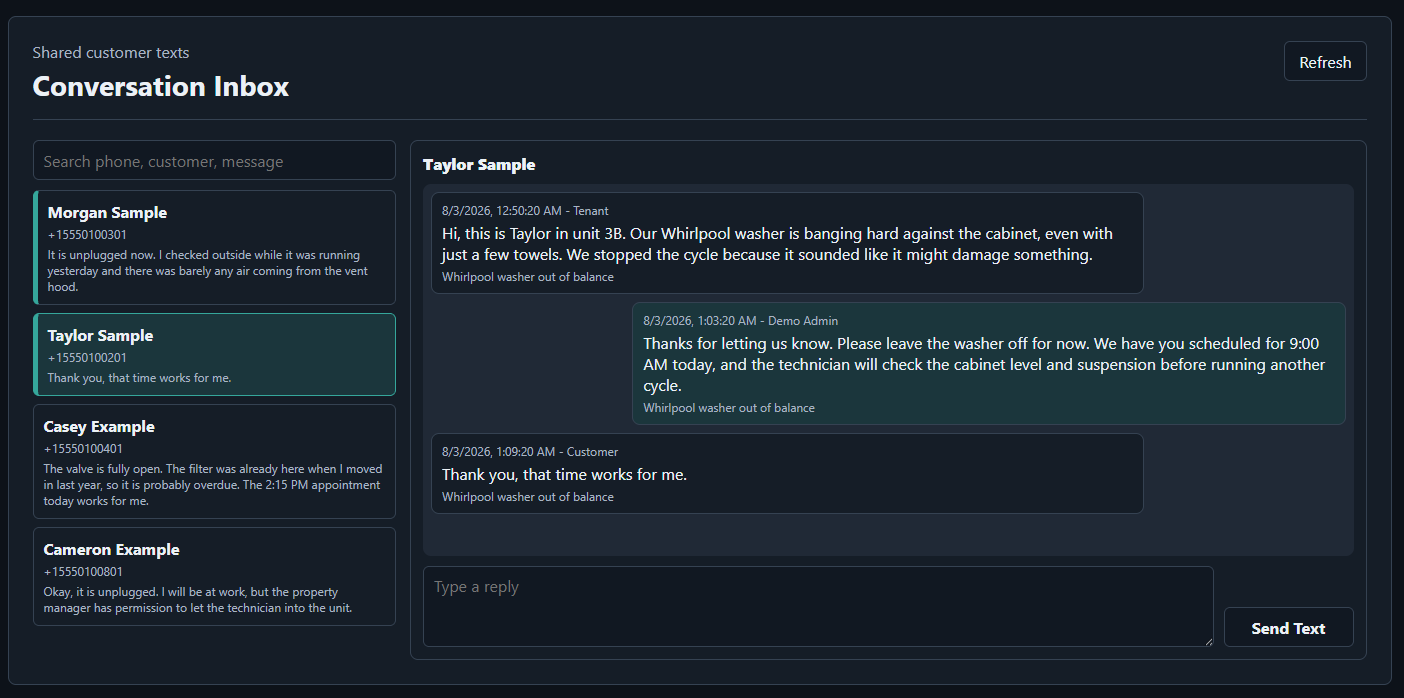
That means the machine record, job notes, photos, parts, customer conversation, technician activity, and numbers should stay connected. The result is a platform designed around what happens before, during, and after the repair or sale.
Open the live AppliancePro360 demo on our hosted demo server with safe, resettable sample data.